
Going Blue
Expedition weather forecasts via satellite


Sultana from Denali, May 2026
Expedition weather forecasts via satellite
Sultana from Denali, May 2026
Going Blue is an expedition weather app designed specifically for low-bandwidth satellite connections. It is built for skiers, alpinists, backpackers, kayakers, sailors, hunters, and anyone else who needs detailed weather forecasts in remote places. Going Blue works with direct-to-cell satellite internet, SMS, Garmin inReach, iPhone satellite messaging, and ZOLEO.
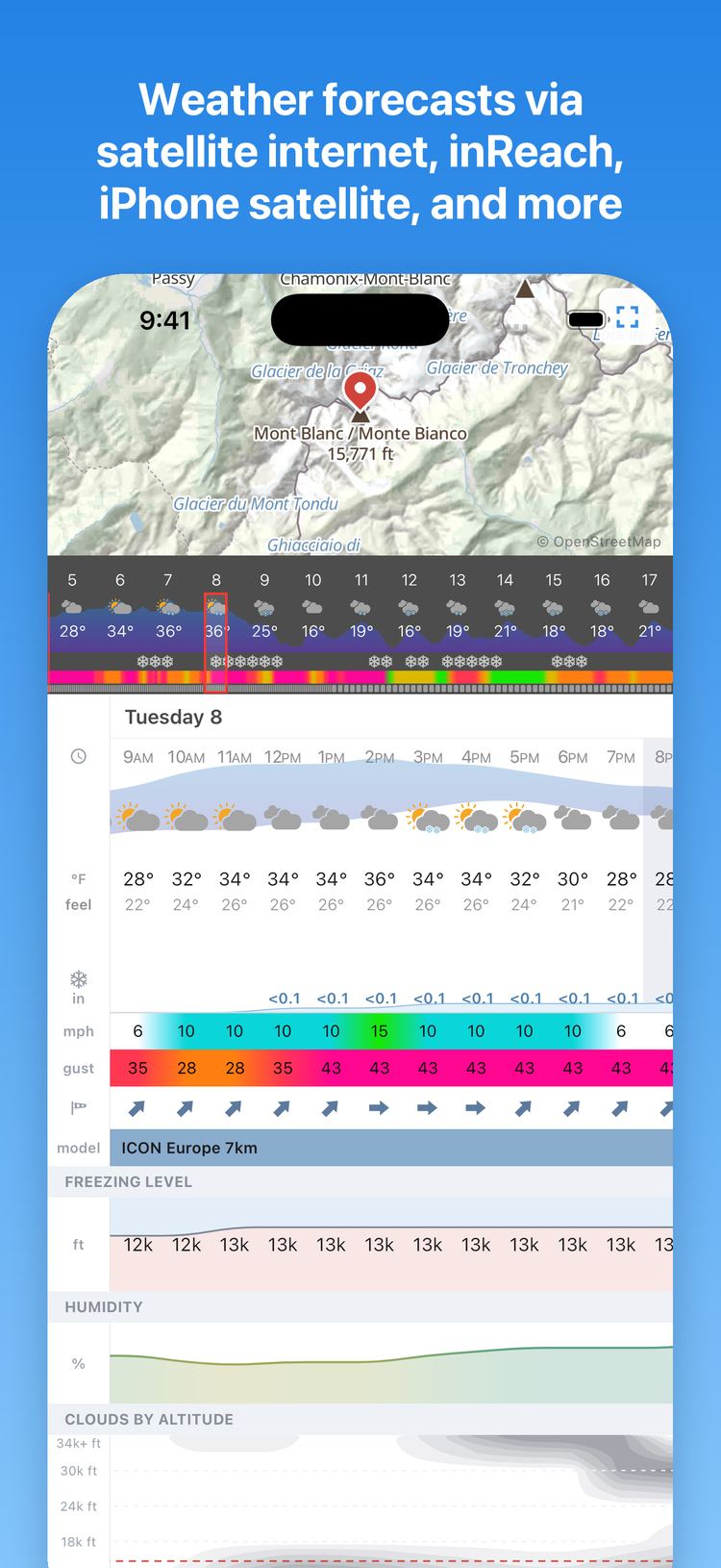
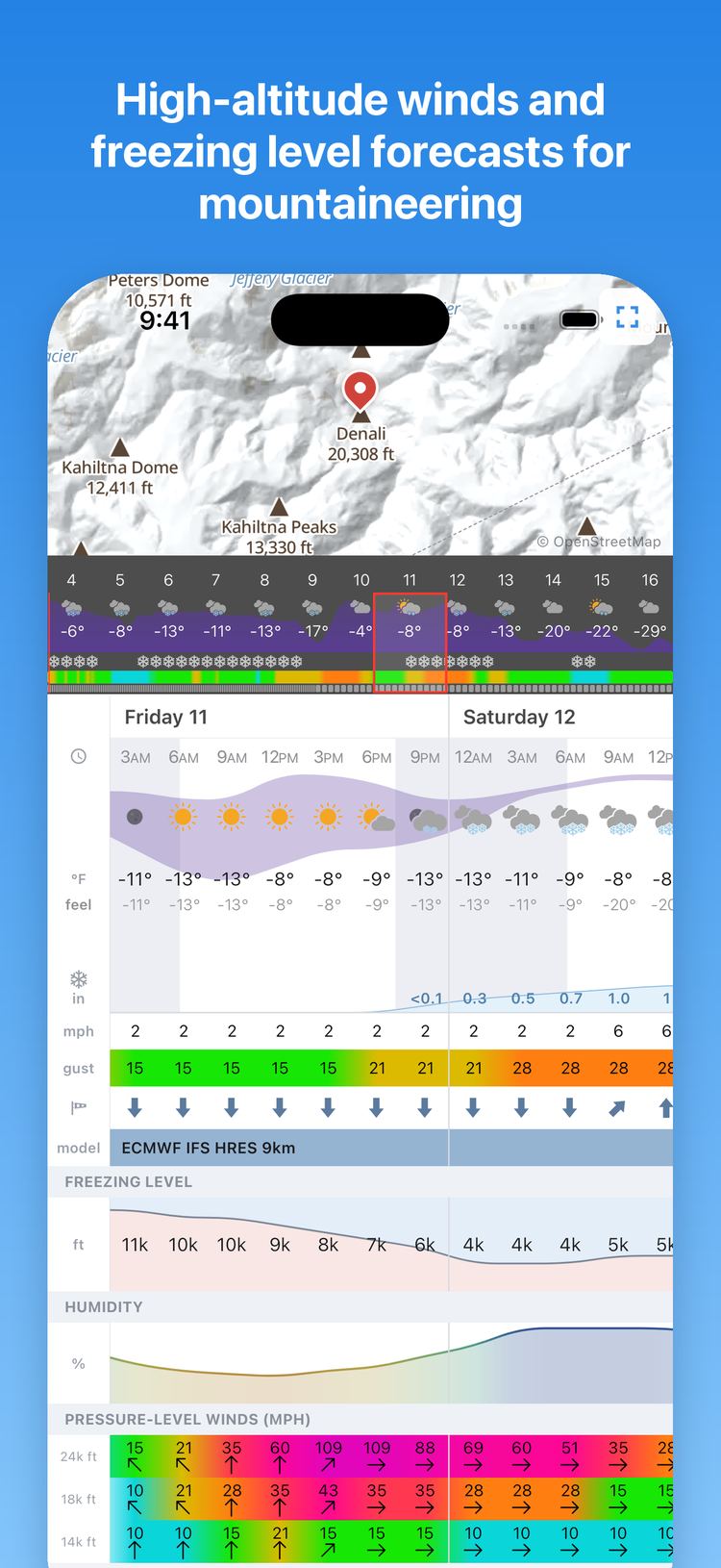
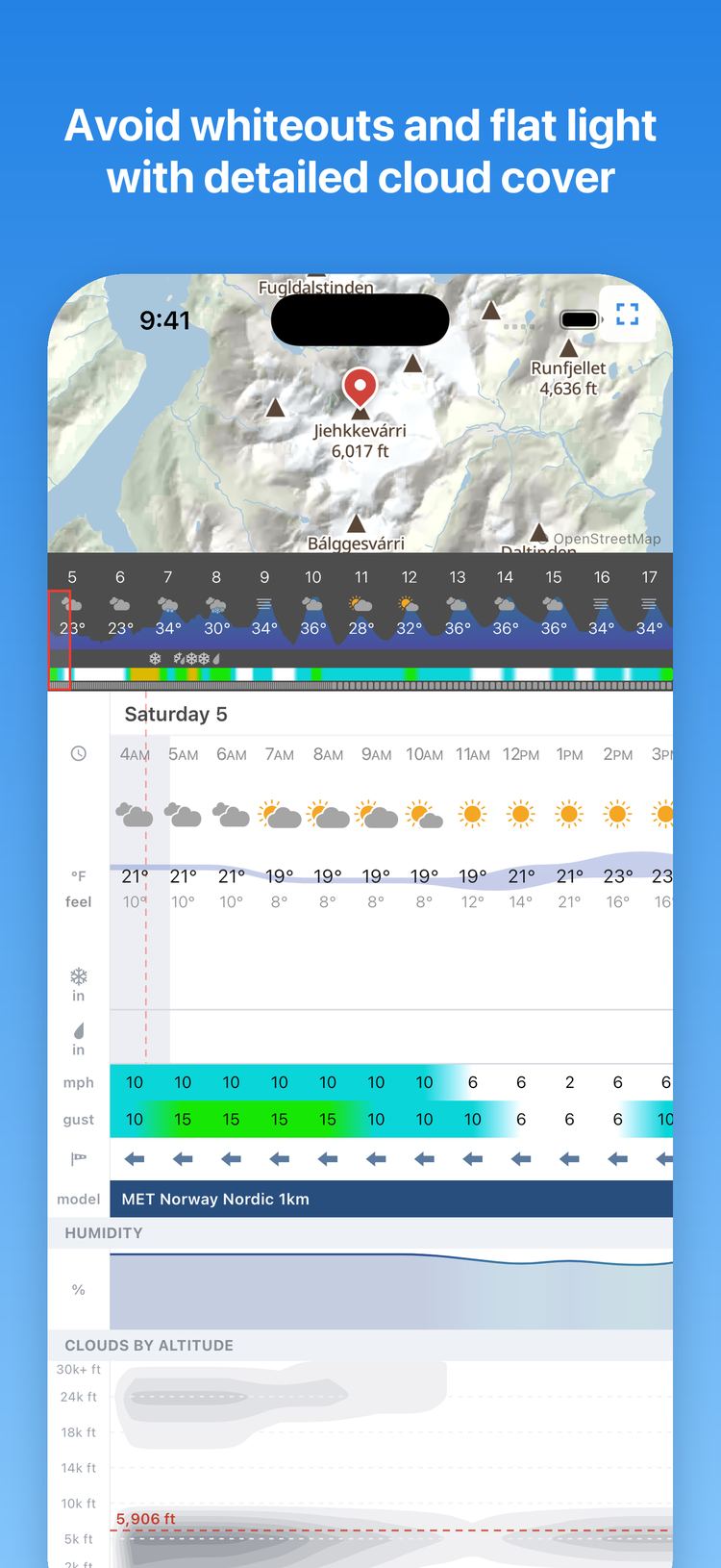
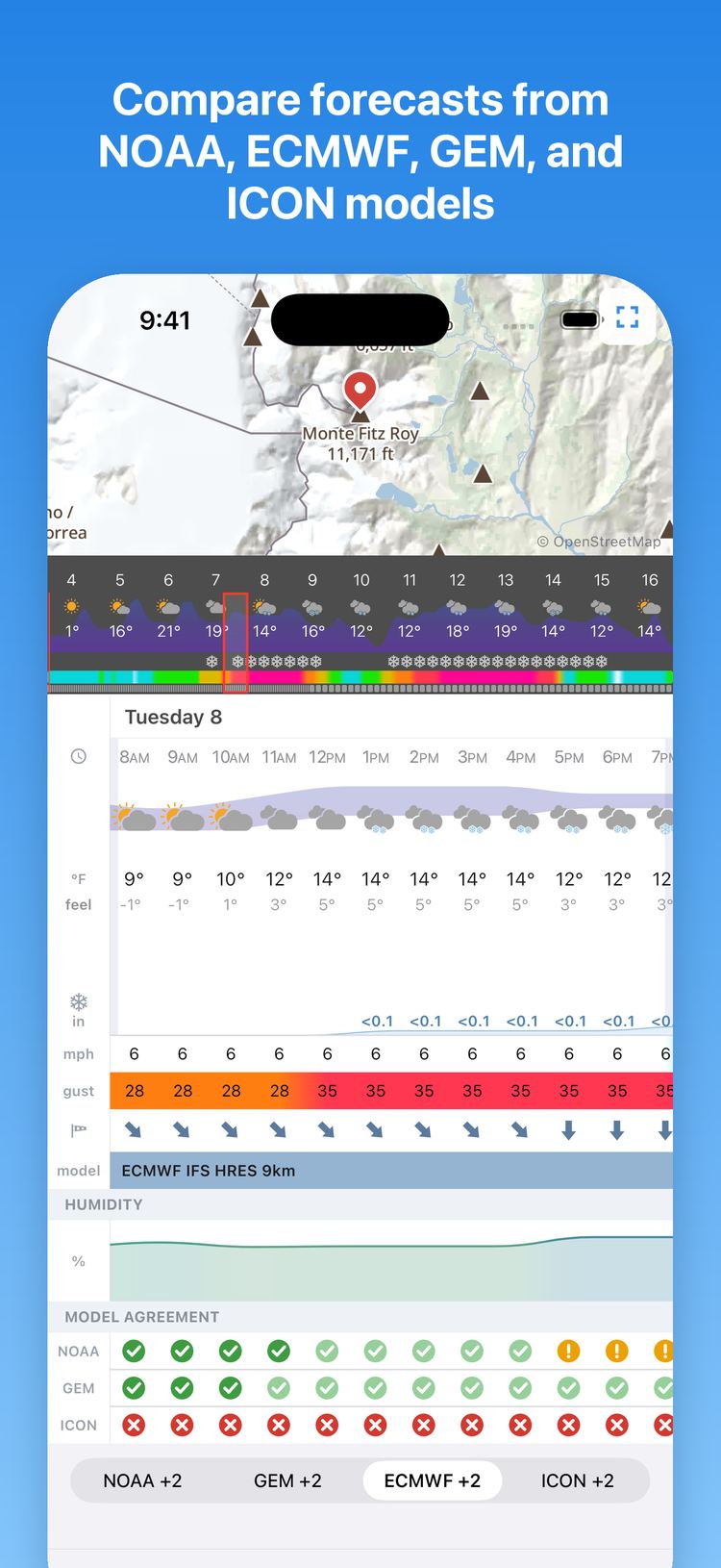
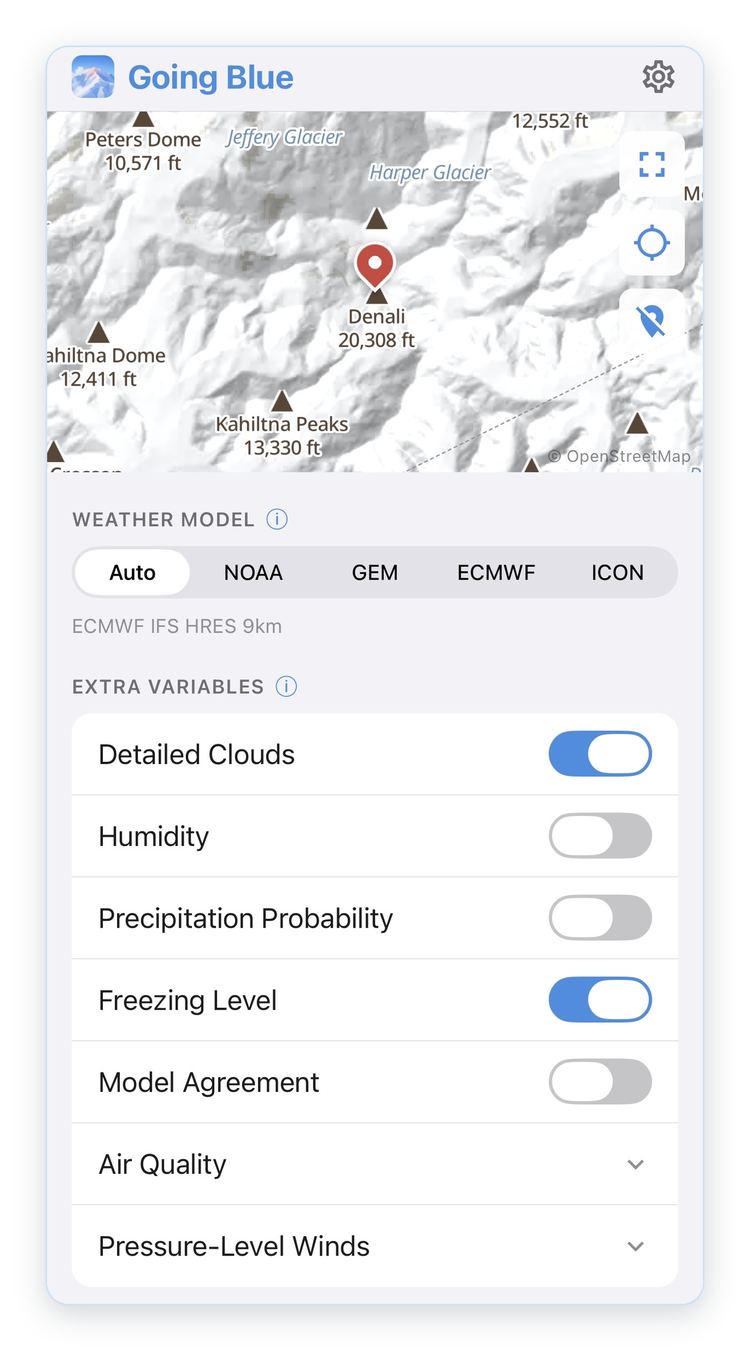
Choose the location, weather model, and variables that you care about.
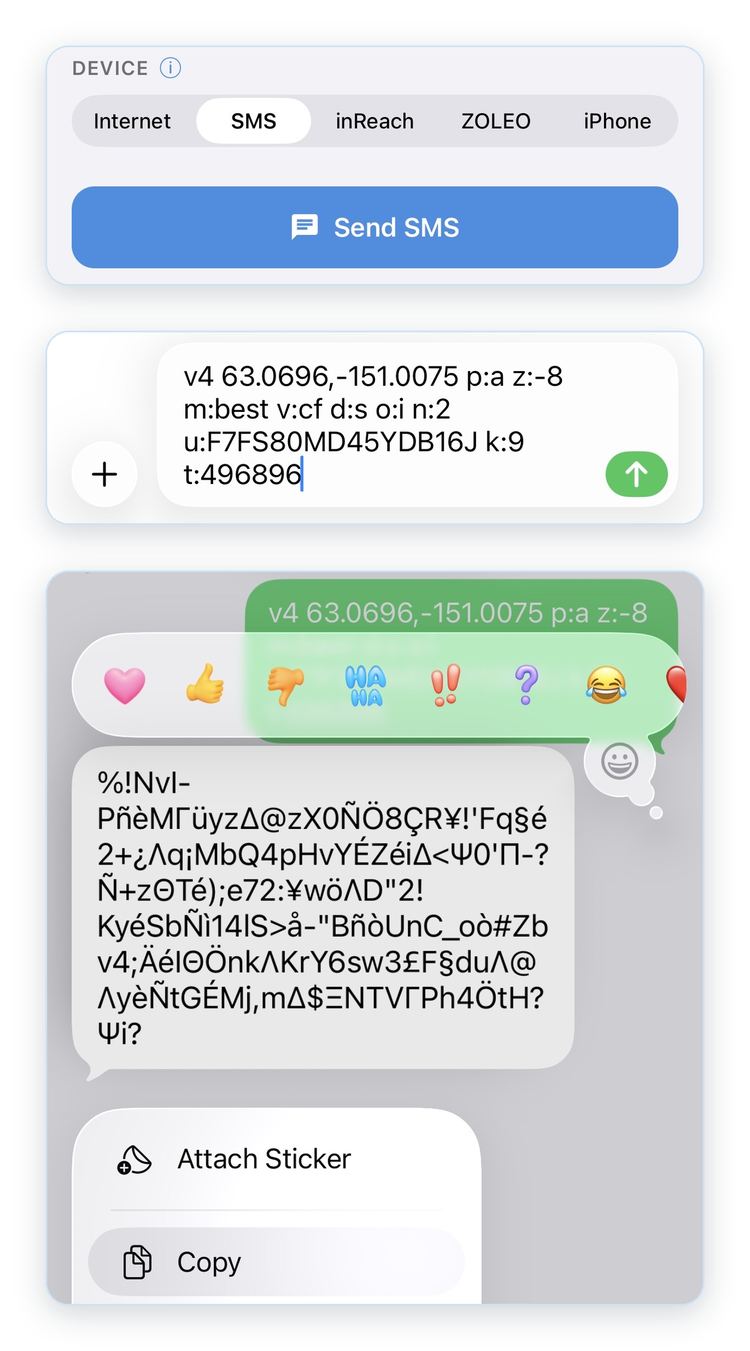
Send the request via the internet, SMS, Garmin inReach, ZOLEO, or iPhone satellite messaging.
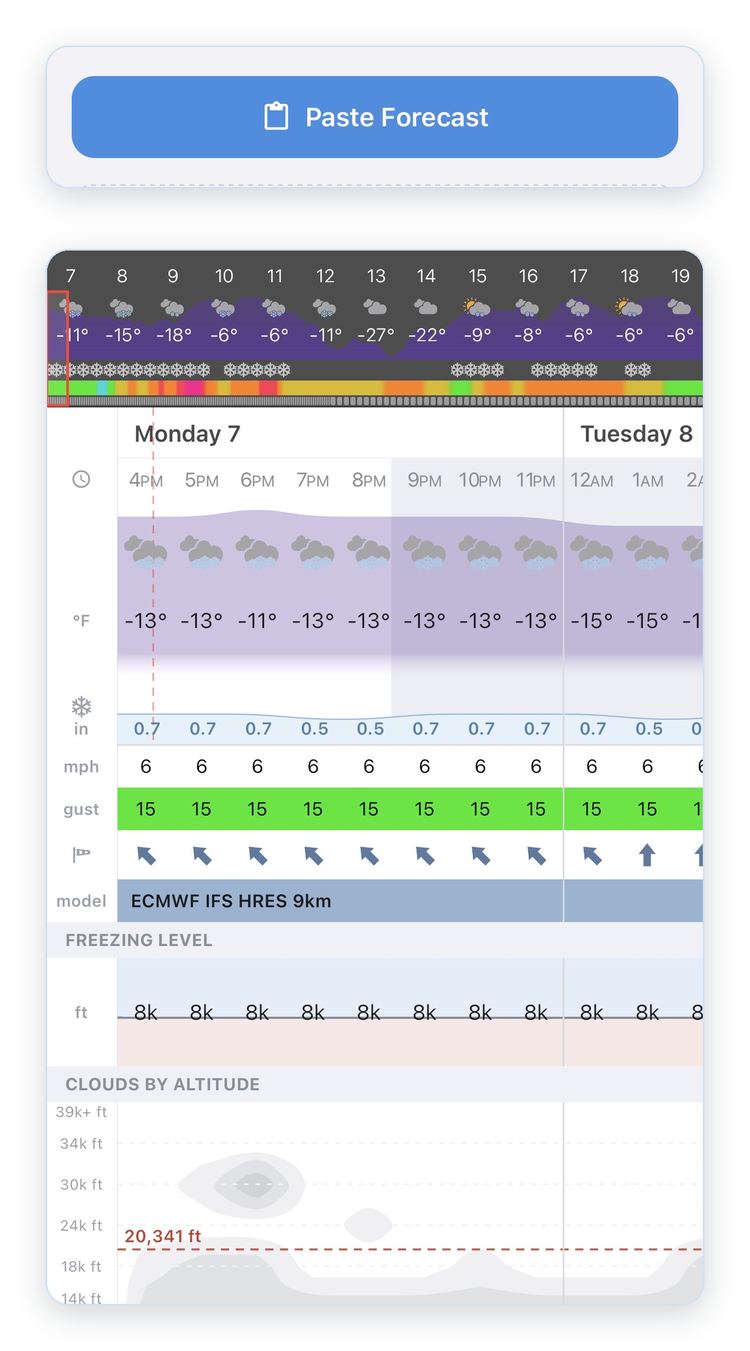
Paste the forecast response into the app to visualize the forecast.
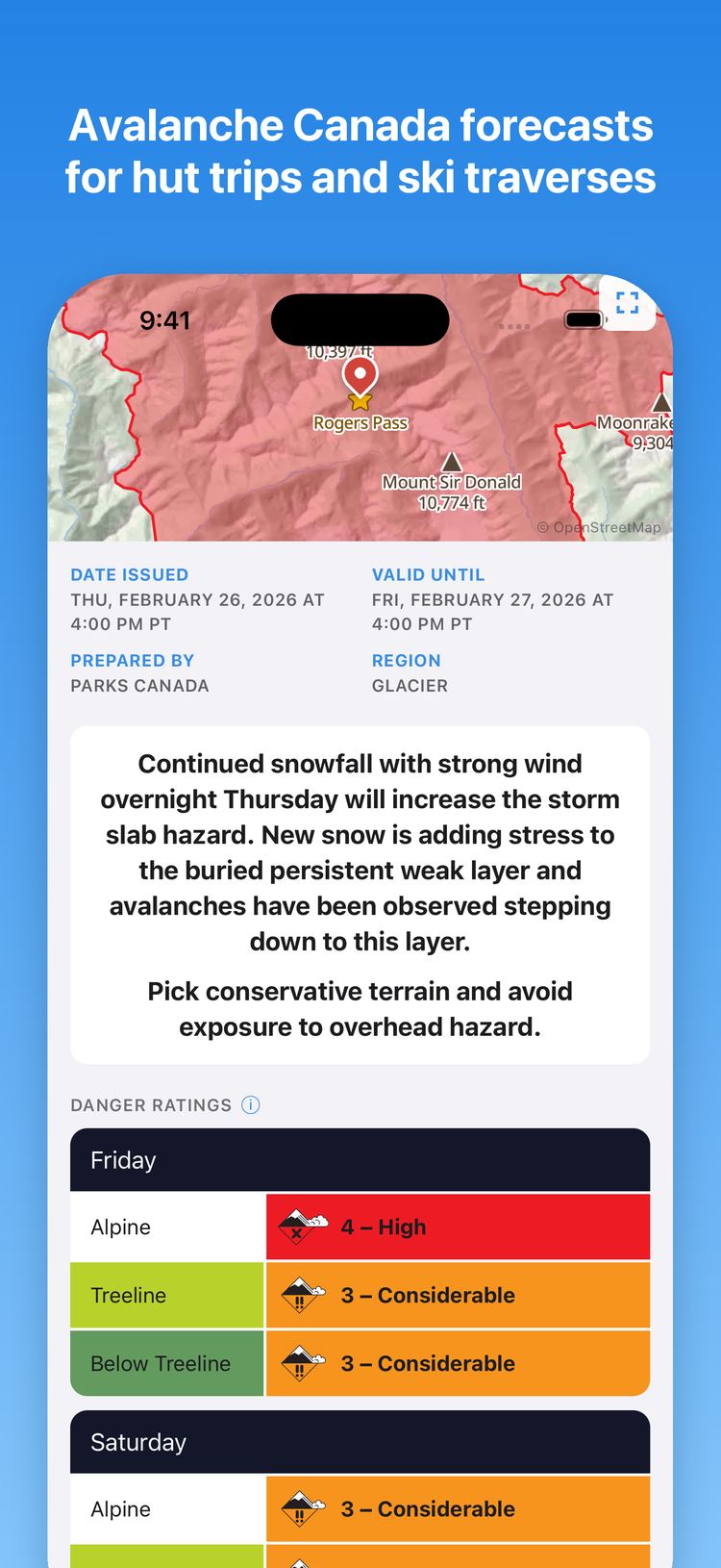
Going Blue is free to use, with an optional subscription that covers the costs of running the service. Forecasts over the internet (including satellite internet) are free, since they don't cost me anything per forecast. Every text message costs money, so SMS and satellite weather forecasts (SMS, inReach, ZOLEO, and iPhone satellite messaging) are limited to 5 free forecasts per month. Avalanche forecasts are free and unlimited on every device to promote public safety.
If you are planning to use Going Blue on an expedition, subscribe to the Going Blue Expedition plan before you head out for unlimited SMS and satellite weather forecasts. The annual plan costs the same as two months, so you can keep using Going Blue for shorter trips in the off-season.
| Going Blue Free | Going Blue Expedition | |
|---|---|---|
| SMS and satellite weather forecasts | 5 per month | Unlimited |
| Internet weather forecasts | Unlimited | Unlimited |
| Avalanche forecasts | Unlimited | Unlimited |
| Price | Free | $9.99/month or $19.99/year |
You can subscribe to Going Blue in the app, through the App Store or Google Play. All prices are in USD. Thank you for supporting Going Blue!
Going Blue supports several different ways to get a forecast:
Forecasts are sourced from regional weather centers including NOAA in the US, ECMWF in Europe, Environment Canada, and DWD in Germany. Open-Meteo provides the forecasts.
Auto: Chooses the highest resolution model for your location from over 30 regional weather models. Seamlessly blends to lower-resolution global models at longer time horizons.
NOAA: US National Oceanic and Atmospheric Administration
GEM: Environment and Climate Change Canada
ECMWF: European Centre for Medium-Range Weather Forecasts
ICON: Deutscher Wetterdienst (Germany)
For model details, see Open-Meteo.
Model agreement shows how well the amount of precipitation in the current forecast agrees with other forecasts. There are four levels of agreement:
To fit as much data as possible into each message, Going Blue uses a compressed binary format that can only be decoded by the app. A full explanation of the codec is available on GitHub.
Going Blue is free to use, within limits. Forecasts over the internet and avalanche forecasts are always free. SMS and satellite weather forecasts (inReach, ZOLEO, and iPhone satellite messaging) are limited to 5 free forecasts per month. Subscribe to the Going Blue Expedition plan for unlimited forecasts.
In the app, open Settings and tap Subscribe. Subscriptions are managed through the App Store or Google Play. Subscribing requires an internet connection, so subscribe before your trip starts.
In the app, open Settings and tap Manage Subscription. You can also cancel directly from the App Store or Google Play. After you cancel, your plan will stay active until the end of the current billing period. Deleting the app or deleting your Going Blue data will not automatically cancel your subscription.
Your subscription is linked to your Apple or Google account. To get it back, open Settings, tap Subscribe, and then Restore Purchases. Use the same Apple or Google account that you originally subscribed with.
Steps:
This immediately erases your token from the server and erases all data stored on your phone. Request records are kept on the server with the token removed so that they can't be linked back to you.
Data cannot be deleted outside the app, since the app's stored token is the only way a token is linked to you. If you delete the app before deleting your account, the anonymous token will remain on the server but there will be no way to link to you. Delete your account before deleting the app if you want the token erased from the server.